Player scouting
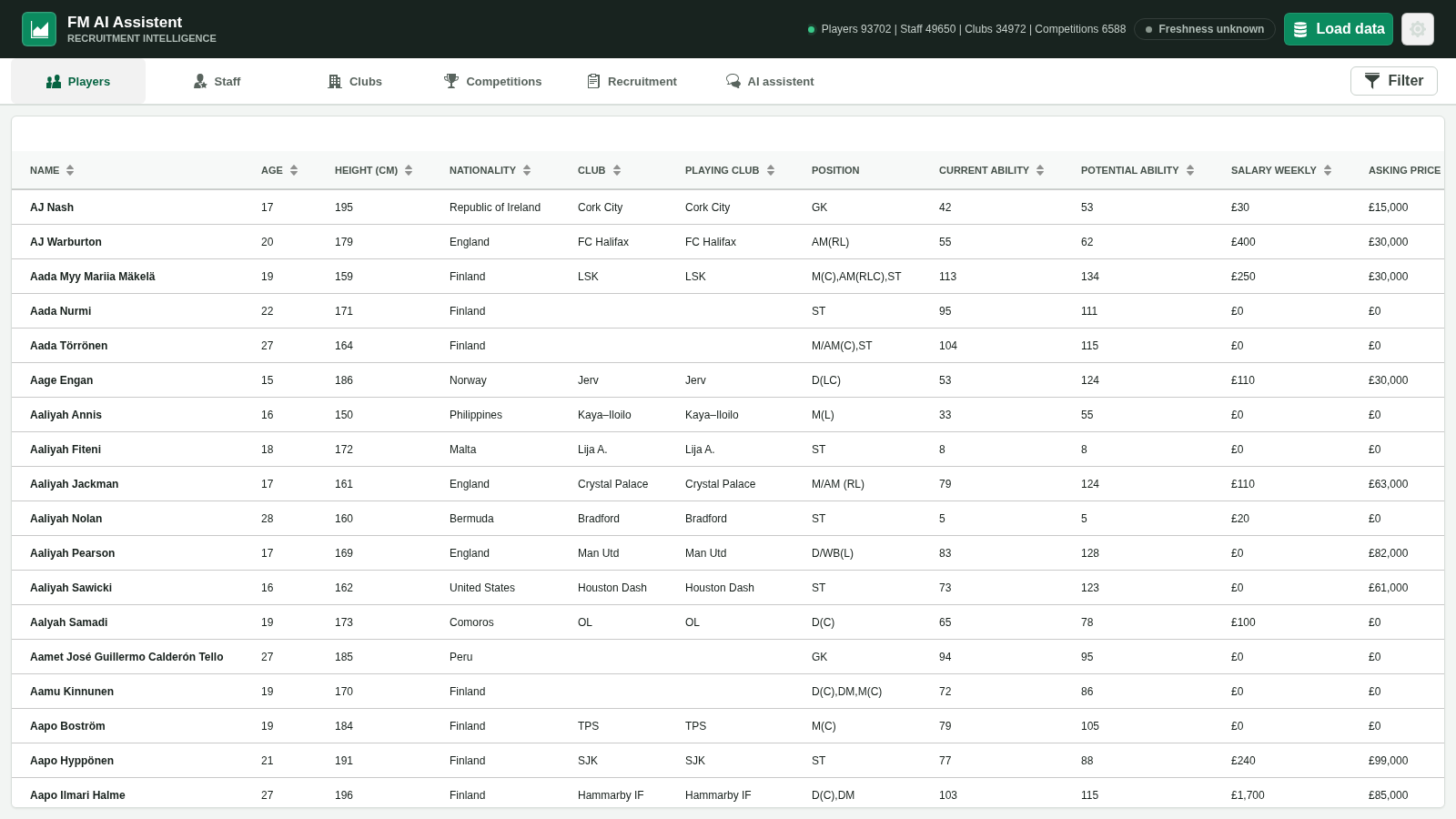
Filter the loaded database by position, attributes, age, ability, contracts, wages and asking price; inspect and compare the candidates that matter.
Explore featureScout smarter. Decide with context.
Explore real player and staff data from your loaded save, compare recruitment options, analyze squad needs and ask an AI assistant questions with relevant in-game context.
Not a generic chatbot
FM AI Assistent reads a snapshot from your running FM26 game when you choose Load data. Search it directly, or let an enabled assistant use focused tools to reason about the same squad and market.
Filter the loaded database by position, attributes, age, ability, contracts, wages and asking price; inspect and compare the candidates that matter.
Explore featureAdd an exported .fmf tactic, diagnose squad depth and ask for a unique optimized XI with role-aware alternatives.
Explore featureFind replacements, compare finalists and model incoming and outgoing moves while leaving unknown costs explicit.
Explore featureSearch staff, assess all nine coaching assignments and understand the weighted attributes behind each role rating.
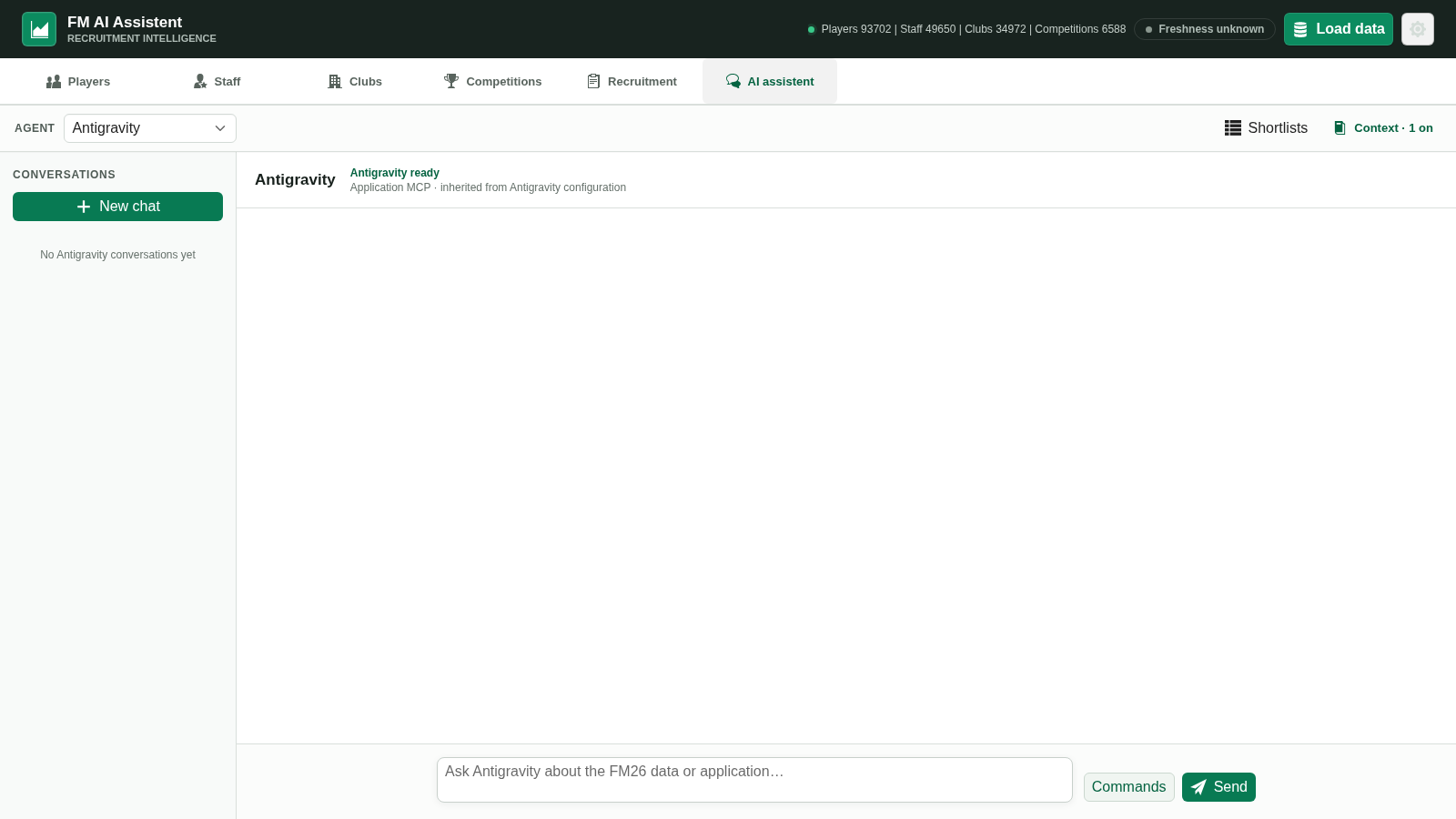
Explore featureChat through Codex, Antigravity, GitHub Copilot or OpenRouter, with the context and provider boundaries made visible.
Explore featurePlayers, staff, clubs and competitions remain useful without connecting an AI provider.
View all capabilitiesFour steps
The app does not silently control the game. You choose when to load a snapshot and what context an AI conversation receives.
Start Football Manager 2026 and open the career you want to analyze.
Run FM AI Assistent as the same computer user as FM26.
The app extracts the available data and commits one local snapshot.
Browse directly, add optional context and question your selected AI assistant.
One workspace
The assistant can use focused tools for squad depth, optimized lineups, replacements, player comparisons, transfer plans and staff coaching roles.
Clear privacy boundary
The static website collects no save data. In the installed app, save and tactic processing is local; AI messages and enabled context go to the provider you select.
RAM extraction, the local snapshot, filters, tactic decoding and the app database run locally. You can browse core data without an AI provider.
Messages, enabled club/tactic/snapshot context and relevant tool results may reach Codex, Antigravity, GitHub Copilot, OpenRouter and their model providers.
Quick answers
Practical answers grounded in the current project documentation.
FM AI Assistent is a local companion application for Football Manager 2026. It loads a snapshot of your running save from memory so you can browse its data and optionally ask an AI assistant questions with relevant context.
No. FM AI Assistent is an independent community project and is not affiliated with, endorsed by or sponsored by Sports Interactive or SEGA.
It does not write decisions back into the running FM26 process. It reads data into a local snapshot for browsing and analysis. It can create a separate FM26 shortlist file and keep recruitment evidence in its own local database.
Yes. Player, staff, club and competition browsing and filtering work independently of the AI chat. An AI provider is only needed for assistant conversations.
Ready for the next window?
Download the current release from the project’s official GitHub page, then load your FM26 save.